Battery Capacity Sizing Checklist: From Loads to Final Reserve
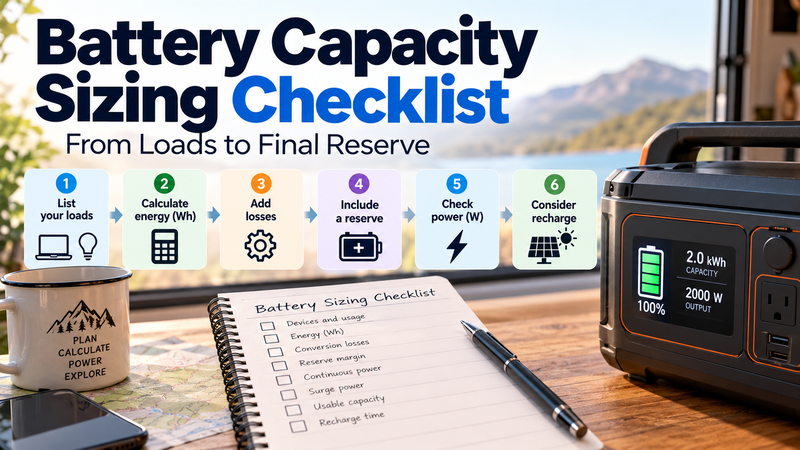
Battery sizing becomes much easier when you stop looking for one magic number and instead move through the calculation in a fixed order.
The practical sequence is:
needs → load → runtime → energy → losses → reserve → power check → recharge
This checklist turns battery sizing into a repeatable decision process rather than a guess.
For the broader capacity framework:
https://medium.com/@volodymyrzh/battery-capacity-explained-mah-wh-amp-hours-decoded-1dc676be5a38
Step 1: Define What You Actually Need to Power
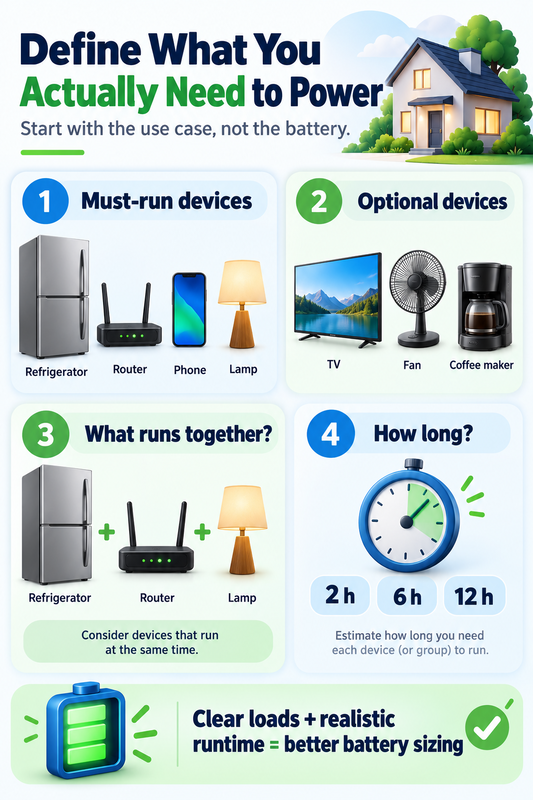
Start with the use case, not the battery.
Ask:
which devices must run?
which devices are optional?
which loads may run at the same time?
how long must the system support them?
This prevents one of the most common sizing mistakes: choosing a battery first and trying to fit the loads around it later.
A backup battery for a refrigerator, router and lights is a very different problem from sizing a system for an air conditioner, power tools or an entire home.
Step 2: List Every Load in Watts
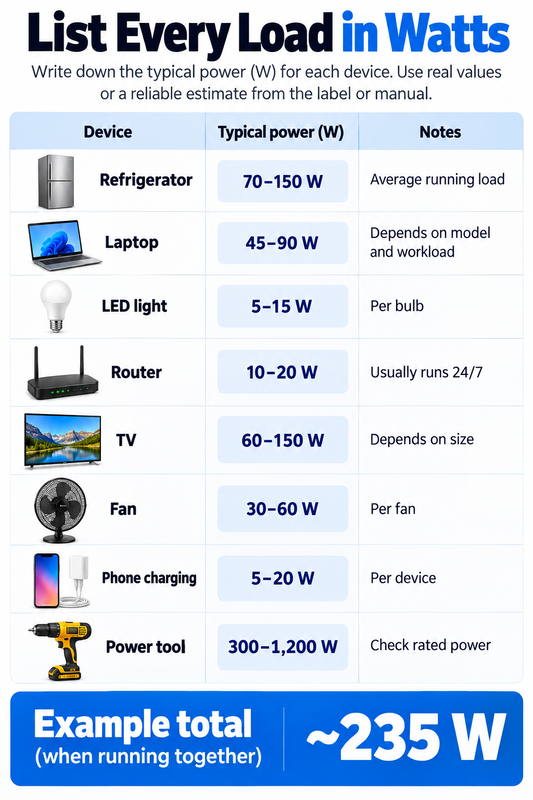
Create a simple load list.
For each device, record its approximate continuous power in watts.
Example:
Router: 15 W
Laptop: 60 W
Lights: 40 W
Refrigerator average running load: 120 W
Combined active load:
15 + 60 + 40 + 120 = 235 W
This number describes power demand.
It does not yet tell you the battery capacity required.
Step 3: Decide How Long Each Device Must Run
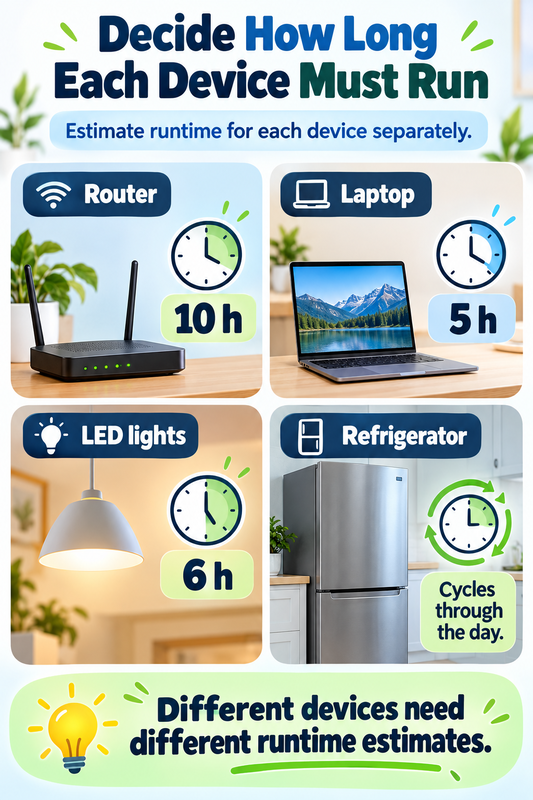
Runtime converts power into energy.
The basic relationship is:
Energy (Wh) = Power (W) × Time (h)
If a 60 W laptop runs for 5 hours:
60 W × 5 h = 300 Wh
If a 15 W router runs for 10 hours:
15 W × 10 h = 150 Wh
If several devices have different runtimes, calculate them separately and then add the Wh values together.
For a more detailed single-device sizing process:
https://digitalowl.fika.bar/how-much-battery-capacity-does-a-device-need-01M2JVYX8GC5RDZQS859RWT5XB
Step 4: Add the Energy Requirements Together
Suppose your estimated energy needs are:
Router: 150 Wh
Laptop: 300 Wh
Lights: 200 Wh
Refrigerator: 700 Wh
Total:
1,350 Wh
This is the theoretical energy requirement before losses and reserve.
At this point, you have moved from a list of devices to an actual battery-capacity target.
Step 5: Separate Capacity From Power
This checkpoint is critical.
Wh tells you how much energy the battery stores.
W tells you how much power the system can deliver at one moment.
A battery may have enough Wh for the required runtime but still be unable to power the connected equipment if the inverter or battery output limit is too low.
For example:
Required energy:
2,000 Wh
Peak simultaneous load:
2,500 W
A 3,000 Wh power station with only a 2,000 W output limit would have enough stored energy but still fail the power requirement.
Capacity sizing and output sizing must therefore be checked separately.
Step 6: Check Which Loads Run at the Same Time
Do not automatically add the rated wattage of every device if they will not all operate simultaneously.
Instead, identify realistic combinations.
Example:
Laptop + router + lights:
60 + 15 + 40 = 115 W
Refrigerator compressor starts while those are running:
115 W + refrigerator demand
That combined figure matters for continuous output.
If several high-power devices may overlap, use the highest realistic simultaneous load rather than an unrealistic all-devices-at-once total.
Step 7: Account for Startup and Surge Power
Some equipment briefly requires much more power when starting.
Common examples include:
refrigerators;
pumps;
air conditioners;
compressors;
motors;
some power tools.
A device may run at 500 W but briefly require substantially more during startup.
Your system must therefore satisfy two power checks:
continuous output
and
surge output
A battery system that passes the energy calculation but fails the surge check may still shut down when a motor starts.
Step 8: Account for Conversion Losses
The theoretical Wh requirement is rarely the final battery size.
Energy may be lost through:
inverter conversion;
DC-DC conversion;
wiring;
electronics;
battery management;
temperature effects.
If the loads need 1,350 Wh, sizing the battery at exactly 1,350 Wh leaves no room for losses.
One simple method is:
Required battery capacity = Load energy ÷ expected system efficiency
If the estimated load energy is:
1,350 Wh
and expected overall efficiency is:
90%
then:
1,350 ÷ 0.90 = 1,500 Wh
Now the capacity target is already higher than the theoretical load requirement.
Step 9: Add a Reserve Margin
A reserve margin prevents the system from being sized exactly to the minimum calculated requirement.
Reserve can help cover:
longer-than-expected runtime;
changing loads;
cold-weather losses;
battery aging;
measurement uncertainty;
future device additions.
For example, if the calculated requirement after losses is:
1,500 Wh
and you add a 20% reserve:
1,500 × 1.20 = 1,800 Wh
Your practical target becomes approximately:
1.8 kWh
For a deeper explanation of reserve sizing:
https://digitalowl.fika.bar/how-much-battery-reserve-margin-do-you-need-01M4DEWDQ2JQXNVN5HGTCQKQDK
Step 10: Check Whether Several Devices Need Separate Runtime Calculations
When several devices are involved, a single combined wattage multiplied by one runtime can be misleading.
A refrigerator may cycle throughout the day.
A laptop may run for four hours.
Lights may run for six hours.
A router may need to operate continuously.
Calculate each load according to its actual expected use.
Then add the energy values.
For the full multi-device workflow:
https://digitalowl.fika.bar/how-to-size-battery-capacity-for-multiple-devices-01M4DHAE5N8QQKK35RR6CR0CV7
Step 11: Recheck the Final Continuous Load
After choosing a candidate battery or power station, return to the wattage calculation.
Ask:
Can the system continuously support the maximum realistic simultaneous load?
If your likely maximum load is 1,600 W, a system rated for 1,000 W continuous output is not suitable even if it has plenty of battery capacity.
This is why battery size should never be judged by kWh alone.
Step 12: Recheck Surge Capability
Next ask:
Can it handle the largest startup event?
If a compressor briefly needs 2,500 W, the system must support that surge.
A useful sizing checklist therefore contains separate fields for:
energy capacity
continuous power
surge power
They solve different parts of the problem.
Step 13: Consider Usable Capacity
Rated battery capacity and practically usable capacity may differ.
The usable share can depend on:
chemistry;
system limits;
depth-of-discharge settings;
low-voltage cutoff;
temperature;
battery age.
If the system is rated at 2 kWh but only part of that capacity is available in your operating conditions, your runtime estimate must use the usable number.
Do not assume the number printed on the battery is automatically the energy that will reach your devices.
Step 14: Check Recharge Time
Sizing should also include the recovery side of the system.
A battery that can run your loads for a day may still be impractical if it takes two days to recharge.
Estimate:
Recharge time ≈ Battery energy to replace ÷ effective charging power
A 2,000 Wh energy deficit charged at an effective 400 W would theoretically require about:
5 hours
Real-world charging may take longer because charge power can vary and losses occur.
Recharge capability becomes especially important for:
multi-day outages;
solar systems;
camper use;
repeated daily cycling.
Step 15: Ask Whether the Battery Must Cover One Event or Repeated Events
There is a major difference between:
supporting a load once
and
supporting it every day
For a one-time outage, stored energy may be the main concern.
For a repeated-use system, recharge rate and daily energy balance become just as important.
A system that uses 3 kWh each day but can only recover 1 kWh per day will eventually run empty regardless of the initial battery size.
Step 16: Leave Room for Real-World Variation
Real loads are rarely perfectly constant.
A refrigerator cycles.
A laptop changes power depending on workload.
A pump starts and stops.
An inverter has standby consumption.
Actual usage may therefore differ from a simple nameplate calculation.
The sizing process should give you a realistic range rather than pretend that one calculated figure is perfectly exact.
A Practical Example
Suppose a small backup setup needs to power:
Router:
15 W × 10 h = 150 Wh
Laptop:
60 W × 5 h = 300 Wh
Lights:
40 W × 5 h = 200 Wh
Refrigerator:
estimated 700 Wh
Total load energy:
1,350 Wh
Assume 90% system efficiency:
1,350 ÷ 0.90 = 1,500 Wh
Add 20% reserve:
1,500 × 1.20 = 1,800 Wh
Practical battery target:
about 1.8–2.0 kWh
Now check power.
Suppose the highest simultaneous continuous load is:
650 W
and the refrigerator startup event may push the short-term requirement substantially higher.
A candidate system might therefore need approximately:
2 kWh battery capacity
plus sufficient continuous and surge output.
The Wh calculation alone is only half of the decision.
The Full Battery Sizing Checklist
Before choosing a battery, confirm all of these:
1. Devices identified
2. Watts recorded
3. Runtime estimated
4. Wh calculated
5. Multi-device energy added together
6. Conversion losses included
7. Reserve margin added
8. Continuous output checked
9. Surge output checked
10. Usable capacity checked
11. Recharge time checked
12. Daily energy balance checked if the system is repeatedly used
If one of these steps is missing, the final capacity number may be misleading.
Sizing Is a Workflow, Not a Single Formula
The strongest battery-sizing decisions combine energy calculations with real operating constraints.
A practical framework that connects loads, runtime, backup capacity and system limits is also discussed here:
https://www.linkedin.com/pulse/from-energy-loads-backup-capacity-practical-sizing-volodymyr-zhyliaev-ee6qf/
The important point is that battery sizing should move in sequence.
Do not start with a product specification.
Start with what the loads actually need.
The Practical Rule
Use this order:
Loads → watts → runtime → Wh → losses → reserve → continuous power → surge → usable capacity → recharge
Capacity tells you how much energy you need.
Power tells you whether the system can actually deliver it.
Reserve protects the calculation from uncertainty.
Recharge determines whether the system can recover fast enough to be useful again.
When all four are checked together, battery sizing becomes a practical engineering decision instead of a rough guess.
Comments
No comments yet. Be the first to comment!