What Is State of Charge? Battery SoC Explained Simply
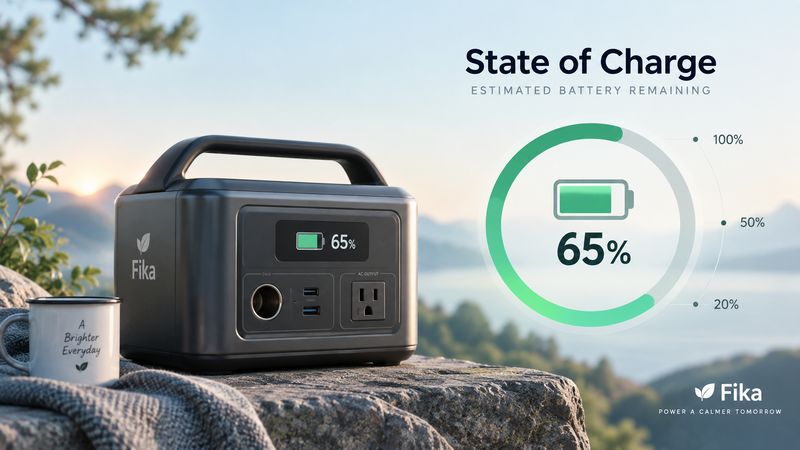
When a phone, laptop, electric vehicle, or portable power station shows 65% battery remaining, that percentage represents its State of Charge, usually abbreviated as SoC.
State of Charge is an estimate of how much usable charge or energy remains in a battery compared with its available fully charged state.
In simple terms:
100% SoC = battery considered fully charged
50% SoC = roughly half of the available capacity remains
0% SoC = the system has reached its defined empty point
For the broader relationship between battery capacity, Ah, Wh, voltage, and runtime, see:
https://medium.com/@volodymyrzh/battery-capacity-explained-mah-wh-amp-hours-decoded-1dc676be5a38
What Does State of Charge Mean?
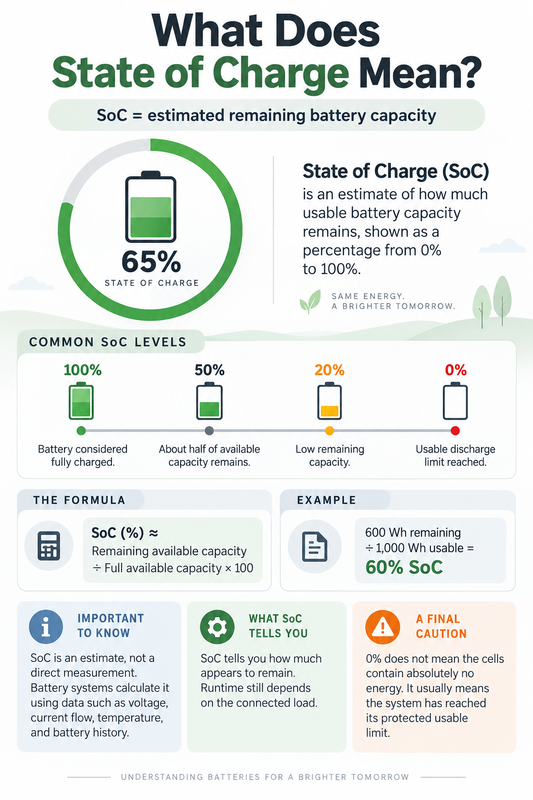
SoC is normally expressed as a percentage from 0% to 100%.
A battery at 80% SoC has more remaining capacity than the same battery at 30% SoC.
A simple conceptual formula is:
SoC (%) ≈ Remaining available capacity ÷ Full available capacity × 100
For example, if a battery system has 1,000Wh of usable capacity and approximately 600Wh remains, its SoC would be roughly:
600Wh ÷ 1,000Wh × 100 = 60%
This example is intentionally simplified. Real battery systems do not usually calculate SoC by directly measuring remaining watt-hours.
SoC Is an Estimate, Not a Direct Measurement
One of the most important things to understand is that a battery does not contain a physical “fuel gauge” that directly measures its remaining energy.
The displayed percentage is estimated by the battery-management system or device electronics.
Depending on the battery and system, that estimate can use information such as:
current flowing into and out of the battery;
cell voltage;
temperature;
battery chemistry;
charging and discharging history;
learned battery capacity.
More advanced systems combine several methods to improve accuracy.
That is why a displayed 50% SoC should not be interpreted as a laboratory measurement proving that exactly 50% of the battery's rated Wh remains.
It is a practical estimate used to show the battery's current state.
Why SoC Can Change Unevenly
Battery percentages do not always fall at a perfectly constant rate.
You may notice a device remaining at 100% for some time and then declining more quickly, or dropping faster under a heavy load.
Several factors can affect the estimate:
changing power demand;
temperature;
voltage sag under load;
battery age;
calibration;
battery chemistry.
When a heavy load is removed, voltage can recover slightly. Some battery systems may then adjust their SoC estimate.
This does not necessarily mean energy disappeared and returned. It reflects the difficulty of estimating the state of a chemical energy-storage system in real time.
SoC and Battery Runtime Are Related but Different
State of Charge tells you how much capacity appears to remain.
It does not tell you how long that capacity will last without knowing the load.
Suppose the same power station is at 50% SoC.
If you connect a 50W router and small electronics, the remaining energy may last many hours.
If you connect a 1,500W heater, the same 50% SoC can disappear much more quickly.
This is why battery capacity and battery runtime are separate concepts.
A deeper explanation is available here:
https://digitalowl.fika.bar/battery-capacity-vs-battery-runtime-what-s-the-difference-01M2GCG8KYW591PS3H17YBZZKY
SoC tells you what fraction appears to remain. Device consumption determines how quickly that remaining energy is used.
Why 0% Does Not Always Mean the Cells Are Literally Empty
When a battery-powered device displays 0%, its cells are not necessarily at zero electrochemical energy.
Battery systems normally define operating limits to protect the cells.
A battery-management system may stop normal discharge once cell voltage reaches a safe lower threshold.
Similarly, a displayed 100% represents the system's defined full point rather than an unlimited chemical maximum.
This protective operating window helps reduce the risk of overcharging or excessive discharge.
So from a user's perspective:
0% = usable discharge limit reached
rather than:
0% = absolutely no energy remains anywhere in the cells
Why SoC Estimates Become Less Accurate Over Time
Rechargeable batteries gradually age.
As they lose capacity, the amount of energy represented by “100%” can also change.
For example, a battery that originally provided 1,000Wh of usable energy may provide less after years of cycling and ageing.
A well-designed battery-management system attempts to account for this change, but SoC accuracy can still be affected by degradation, unusual usage patterns, long periods without full charging, or calibration errors.
This is why some devices occasionally revise their battery percentage after charging, resting, or restarting.
SoC vs Battery Capacity
The distinction is simple:
Battery capacity describes how much charge or energy the battery can hold.
State of Charge describes how much of that available capacity appears to remain right now.
Think of a fuel tank:
Capacity tells you the size of the tank.
SoC tells you approximately how full the tank currently is.
The analogy is useful, although batteries are more complicated because their remaining energy cannot be measured as directly as liquid fuel.
The Simple Rule
Remember State of Charge this way:
SoC is the battery's estimated remaining percentage.
It normally ranges from 0% to 100%, but it is an estimate generated from battery measurements and system models rather than a direct measurement of remaining watt-hours.
SoC is useful for monitoring when to recharge and estimating remaining energy, but it should always be interpreted together with battery capacity and the power demand of the connected device.
A 50% battery can mean hours of operation under a small load — or a much shorter runtime under a large one.
Comments
No comments yet. Be the first to comment!