How to Keep Your Home Office Running During a Power Outage
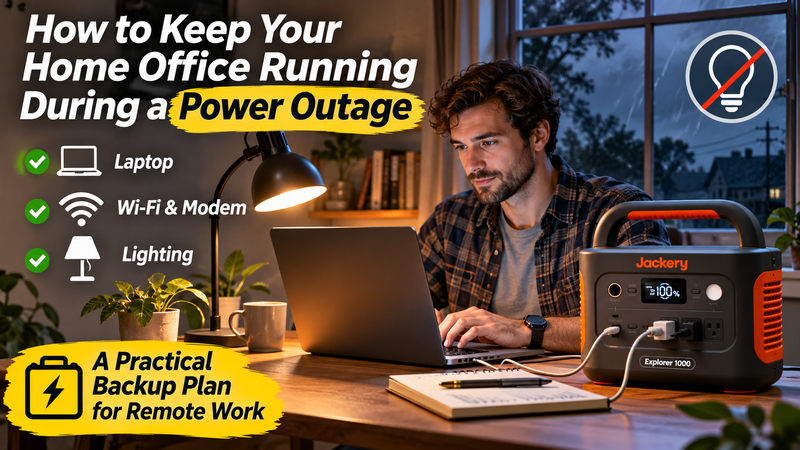
Working from home offers flexibility, but even a short power outage can interrupt meetings, disconnect your internet, and leave essential equipment unusable.
Fortunately, keeping a basic home office running doesn't necessarily require a large generator or an expensive whole-house backup system. A laptop, internet equipment, and a small amount of lighting often consume considerably less electricity than major household appliances.
The key is understanding how much energy your workspace uses, which devices must remain powered, and how long you need them to operate.
Here's how to build a practical home office backup plan without overspending.
1. Identify the Equipment You Actually Need
Start by separating essential work equipment from devices you can temporarily disconnect.
For many remote workers, essential equipment includes:
Laptop: Your primary work device.
Wi-Fi router: Provides wireless connectivity.
Modem or optical network terminal (ONT): Connects your home network to the internet provider.
LED desk lamp: Provides basic lighting.
Smartphone: Serves as a communication device and potential mobile hotspot.
Optional equipment might include a second monitor, desktop speakers, printer, or other accessories.
During an outage, reducing your workspace to essential equipment can significantly extend battery runtime.
For example, working directly from a laptop instead of powering a desktop computer and two external monitors may considerably reduce electricity consumption.
2. Calculate Your Daily Energy Consumption
To choose an appropriate backup solution, you'll need to estimate energy consumption in watt-hours (Wh).
The basic formula is:
Energy (Wh) = Power (W) × Operating time (hours)
Let's consider a hypothetical home office operating for eight hours.
Laptop averaging 40W: 320Wh
Wi-Fi router consuming 10W: 80Wh
Modem or ONT consuming 8W: 64Wh
LED desk lamp consuming 7W for five hours: 35Wh
Smartphone charging: approximately 15Wh
Total estimated appliance consumption: 514Wh
These values are illustrative. Actual consumption depends on your equipment, workload, charging behavior, and operating conditions.
A laptop editing video may consume substantially more electricity than one used for writing or browsing.
Likewise, networking equipment varies in power requirements.
Account for Conversion Losses
Portable power stations and other battery backup devices aren't perfectly efficient.
If we assume 85% overall efficiency for illustration:
514Wh ÷ 0.85 ≈ 605Wh
Adding a 20% planning reserve:
605Wh × 1.20 ≈ 726Wh
Under these assumptions, approximately 725–750Wh of nominal battery capacity could be a starting planning estimate for one eight-hour workday.
The calculation treats the 85% figure as an overall efficiency allowance. It should not be combined with duplicate losses elsewhere in the budget.
This is not a guaranteed runtime. The actual result depends on usable battery capacity, AC and DC efficiency, standby consumption, and equipment behavior.
3. Your Internet Connection Needs Its Own Backup Plan
A powered laptop won't help much during a video meeting if your internet connection disappears.
Many homes rely on more than a single Wi-Fi router.
Depending on your provider, the connection may require:
A cable or DSL modem.
A fiber-optic ONT.
A separate wireless router.
A combined modem-router gateway.
All necessary devices must remain powered for the home connection to function.
However, keeping your networking equipment running does not guarantee internet access.
Your provider's infrastructure may also lose power during a widespread outage.
Prepare an Alternative Connection
A practical backup plan may include:
A smartphone with mobile hotspot capability.
A second mobile network, where available.
Downloaded copies of essential work documents.
Offline access to important files.
A communication plan for notifying colleagues about outages.
Mobile networks can also experience disruptions or congestion, so having a hotspot doesn't guarantee connectivity.
Test your backup connection before an actual outage, particularly if you regularly participate in video calls.
4. Choose the Right Type of Backup Power
Not every home office needs the same backup equipment.
Three common approaches serve different purposes.
A Small UPS for Brief Interruptions
An uninterruptible power supply (UPS) can be useful for protecting certain devices against short interruptions.
Depending on its specifications, a UPS may provide enough time to save work, maintain a network connection briefly, or shut equipment down safely.
However, many consumer UPS units are designed for relatively short runtimes rather than an entire workday.
They are particularly useful when uninterrupted power delivery is important.
A Portable Power Station for Longer Outages
A portable power station combines a rechargeable battery with supported AC, DC, and USB outputs.
It can provide electricity for laptops, internet equipment, and other compatible devices during longer interruptions.
The main selection criteria include:
Usable battery capacity.
Continuous output power.
Output compatibility.
Charging speed.
Weight and portability.
Standby energy consumption.
If you need seamless operation during a power interruption, verify whether the specific station provides an appropriate UPS or transfer function. Not all portable stations switch quickly enough to prevent connected equipment from restarting.
For readers comparing actual power station options for laptops, routers, and home office equipment, this detailed buying guide explores different backup sizes and practical limitations:
Best Jackery for Home Office and Wi-Fi Backup: Which Power Station Should You Choose?
A Larger Backup System for Multiple Workstations
If your household needs to operate several computers, networking devices, and other appliances simultaneously, a larger battery system may be appropriate.
However, additional capacity increases cost and may introduce installation requirements.
For a typical laptop-based workspace, it's often more economical to calculate essential loads first rather than immediately purchase a whole-house backup solution.
5. Reduce Energy Consumption Before Buying More Battery Capacity
One of the easiest ways to extend backup runtime is to use less electricity.
Consider these adjustments:
Reduce laptop screen brightness.
Enable battery-saving settings.
Disconnect unused monitors and peripherals.
Use efficient LED lighting.
Turn off unnecessary speakers and accessories.
Use compatible DC or USB connections where practical.
Disable unused AC outputs when supported by the equipment.
Small reductions can accumulate over a long workday.
For example, reducing average electricity consumption by 15W over eight hours saves:
15W × 8 hours = 120Wh
That's a meaningful saving for a compact battery system.
Plan Around Your Most Important Work
During an extended outage, not every task needs to be completed immediately.
Prioritize:
Essential communication and scheduled meetings.
Work requiring an active internet connection.
Tasks that can be completed offline.
Optional activities that consume additional electricity.
This approach helps preserve stored energy for the moments when you need it most.
6. Prepare Before the Next Power Outage
A backup system is most useful when it's ready before electricity fails.
Create a simple preparation routine:
Keep your backup battery charged according to manufacturer instructions.
Test your laptop and network equipment with the backup system.
Measure actual electricity consumption if possible.
Check how long your essential equipment operates.
Keep necessary charging cables accessible.
Download important documents for offline work.
Test your mobile hotspot.
Establish an alternative communication method with colleagues.
If you use a portable battery or UPS, follow its operating temperature, ventilation, and electrical safety requirements.
Never overload outlets or use improvised connections to power household wiring.
Run a Realistic Backup Test
Before depending on your setup for an important workday, simulate an outage by disconnecting your selected equipment from normal utility power and operating it through the backup device.
Monitor battery consumption, device behavior, and connection stability.
This test can reveal issues that theoretical calculations miss, such as higher-than-expected laptop consumption or incompatible power adapters.
Only test equipment using approved connections and the manufacturer's operating procedures.
Final Thoughts: Build a Smaller, Smarter Backup System
Keeping a home office running during a power outage is primarily an energy management problem.
You need to understand three things:
How much electricity your essential devices consume.
How long you need them to operate.
Whether your internet connection can remain available.
A carefully planned battery backup can support a basic laptop workspace for hours without requiring a large generator or permanent electrical installation.
But buying more battery capacity isn't always the best first step.
Reducing unnecessary loads, preparing alternative connectivity, and testing your setup can be just as important.
The goal isn't to power your entire home office exactly as usual. It's to keep the equipment that matters most running for as long as you realistically need it.
Disclosure and Disclaimer
This article is intended for general informational purposes. Electricity consumption, runtime estimates, and battery capacity calculations are approximate and may differ under real operating conditions. Always verify equipment compatibility, electrical ratings, and manufacturer safety instructions before using backup power equipment.
The linked buying guide may contain affiliate links. This article does not require purchasing any particular product or brand.
Comments
No comments yet. Be the first to comment!