What Makes WooCommerce Performance Different From a Normal Website
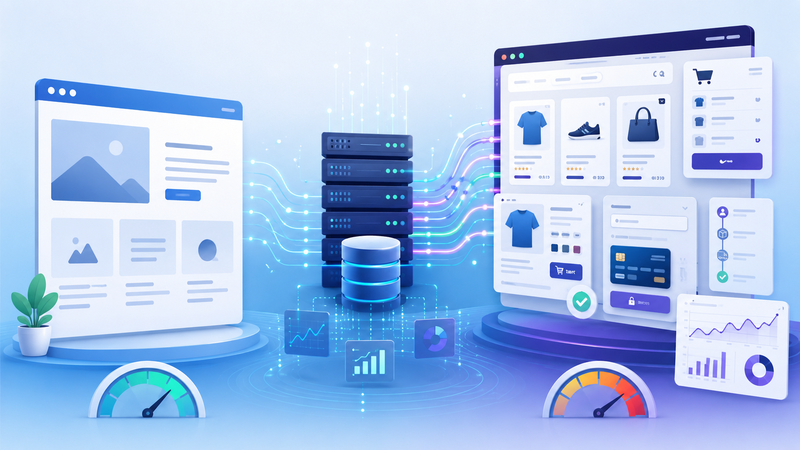
A WooCommerce store may look like a normal website at first. It has pages, images, menus, buttons, and written content. A visitor can open the homepage, read product descriptions, move between pages, and click links just like on many other WordPress sites.
But behind the scenes, WooCommerce has a different job. It is not only showing information. It is also handling products, prices, stock, carts, customer sessions, coupons, shipping rules, taxes, payments, and orders.
That difference changes performance needs. A normal content website can often depend heavily on caching. A WooCommerce store usually needs more live processing, especially when visitors browse products, add items to the cart, and move toward checkout.
A normal website mostly displays content
A simple business website or blog usually has a clearer performance pattern. Many pages are mostly informational. They may include text, images, menus, forms, and tracking scripts, but the page itself often does not need to change for every visitor.
That makes caching easier. The server can prepare a version of the page and serve it quickly to many people. When the page does not depend heavily on user-specific actions, caching can remove a lot of server work.
This does not mean normal websites cannot become slow. They can still suffer from large images, heavy themes, too many plugins, weak hosting, or poorly loaded scripts. But the basic page structure is often more predictable.
WooCommerce adds a different layer of complexity because many parts of the store are connected to live activity. The website may need to check what the visitor is doing before it can show the right result.
WooCommerce pages often depend on live data
An online store has more moving parts than a simple content page. A product page may need to display price, stock status, product variations, reviews, related items, discount rules, and availability. A cart page needs to remember what the visitor selected. A checkout page needs to calculate and validate several steps before the order can be completed.
This means the server has to work harder. It may need to connect WordPress, WooCommerce, the database, the theme, plugins, payment tools, and shipping logic in one flow.
Common live elements include:
cart contents;
customer sessions;
product variations;
stock status;
dynamic prices;
coupons and discounts;
shipping methods;
tax calculations;
payment gateway checks;
order creation.
Each of these elements can add processing time. One small task may not be a problem. Many small tasks happening together can make the store feel slower, especially during traffic peaks.
Caching has more limits in ecommerce
Caching is still useful for WooCommerce. It can help with homepages, category pages, some product pages, static assets, images, and repeated content. A well-configured cache can reduce unnecessary work and make many parts of the store faster.
But ecommerce cannot rely on caching in the same way as a simple blog. Some pages need to stay dynamic because they are different for each visitor. Cart and checkout pages are the clearest examples. If the server showed the same cached cart to everyone, the store would break.
This is why WooCommerce performance should be judged differently. A store may have fast cached pages and still struggle where real buyers take action. The homepage may load well while checkout feels slow. Product browsing may feel acceptable until filters, variations, and carts create more server work.
A related explanation of this issue is here:
https://digitalowl.fika.bar/why-growing-online-stores-need-better-server-resources-01KS9YXY2X0RHQCJNT5DMH60C6
The important point is simple: cached speed and store speed are not always the same thing.
Checkout is the biggest difference
Checkout is where WooCommerce becomes most different from a normal website. A content page can usually succeed by loading information quickly. A checkout page has to complete a business process.
It may need to confirm cart contents, apply discounts, calculate shipping, validate customer details, connect to payment services, and prepare the order record. If one part slows down, the whole experience can feel unstable.
That is why checkout performance matters more than many store owners realize. A delay at checkout does not only affect a speed score. It affects trust. The visitor may wonder whether the payment will work, whether the order is safe, or whether the store is reliable.
For a deeper look at hosting decisions for WooCommerce stores, this guide is the main target article:
https://volodymyrzh.medium.com/hosting-for-woocommerce-stores-how-to-choose-the-right-setup-for-speed-and-sales-bac7afd12358
Plugins can affect stores more strongly
Plugins can slow down any WordPress site, but WooCommerce stores often feel plugin load more strongly. Store plugins may not only add visual features. They may also change pricing, checkout, shipping, email, tracking, product filters, subscriptions, payment options, or inventory logic.
That makes each plugin more important. A plugin on a blog may only add a design block or a small feature. A plugin on a store may run during product browsing, cart updates, or checkout. If several plugins all run during the same process, the store can become heavier.
This does not mean WooCommerce stores should avoid plugins completely. Stores often need plugins to operate properly. The goal is to use plugins carefully and understand which ones affect live store processes.
Useful questions include:
Does this plugin run on every page?
Does it affect product pages?
Does it affect cart or checkout?
Does it create extra database queries?
Does it load scripts for visitors who do not need them?
Does it add work during traffic peaks?
The more a plugin touches buying behavior, the more carefully it should be tested.
Product pages grow heavier over time
A normal page may stay almost the same for months. A product page often grows. Store owners add better images, longer descriptions, reviews, product badges, related items, upsells, shipping notes, variation selectors, and trust signals.
Each addition may be useful. Together, they make the page heavier. The store may still look clean, but the server may need to prepare more data before the page is ready.
This is why WooCommerce performance often declines gradually. There is no single dramatic failure. The store simply becomes more complex as the business improves the shopping experience.
A focused breakdown of that issue is here:
https://digitalowl.fika.bar/how-product-pages-become-heavy-over-time-01KS8H0FNMNYBSMNAR7C2S98ZR
The lesson is not to remove every useful element. The lesson is to match the store’s infrastructure to the amount of work the store now performs.
Better hosting matters sooner for WooCommerce
A normal website can sometimes stay on basic hosting for a long time if it is light, cached, and low-traffic. A WooCommerce store may reach hosting limits earlier because it depends more on live processing.
The store needs enough resources for both visitors and backend operations. Admin work, order management, product updates, customer records, and reports can also create load. If the hosting environment is weak, the store owner may feel problems not only on the front end, but also inside WordPress admin.
Better hosting does not replace optimization. Images, plugins, scripts, themes, and database habits still matter. But once the store is already reasonably optimized, server resources become part of the performance strategy.
A WooCommerce store is not just a website with products added to it. It is a dynamic sales system. It needs enough room to serve content, manage live buyer actions, protect checkout stability, and support growth without making every new feature feel like a burden.
Comments
No comments yet. Be the first to comment!